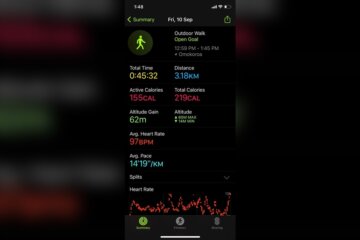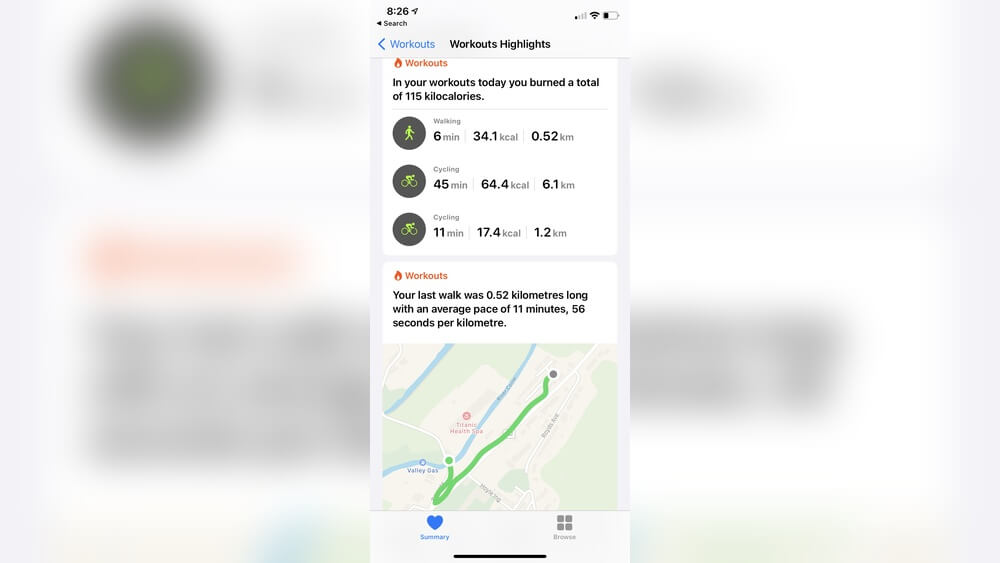
Have you ever finished a workout and wondered, “Why didn’t my workout count as exercise?” It’s frustrating when you put in the effort but don’t see it reflected on your fitness tracker or feel like it didn’t really “count.” You might be asking yourself if you did something wrong or if your body just didn’t register the activity. The truth is, not all workouts are tracked equally, and there are simple reasons why your hard work might not be showing up as exercise.
You’ll discover why your workout might not be counting, how to fix common tracking problems, and what you can do to make sure every minute of effort truly counts toward your fitness goals. Keep reading—your next workout might finally get the recognition it deserves.

Credit: www.walmart.com
Exercise Vs Workout
Understanding the difference between exercise and workout is key to knowing why some sessions may not count as exercise. Both terms are often used interchangeably, but they have distinct meanings. Exercise refers to any physical activity done to improve health and fitness. A workout is a structured, planned session of exercise designed to reach specific fitness goals.
Knowing this difference helps explain why certain workouts might not register as exercise in some cases. Not all physical activities or workouts provide the intensity or duration needed to count as effective exercise. This distinction matters for tracking progress and achieving fitness results.
Physical Activity Types
Physical activity includes all movements that burn calories. It covers everyday tasks like walking, gardening, or cleaning. Exercise is a subset of physical activity, focusing on planned movements for fitness. Workouts are specific exercise sessions, like running or weightlifting. Each type varies in intensity, duration, and purpose.
Why Some Workouts Don’t Count
Workouts might not count as exercise if they lack intensity. Light activities like slow walking may not raise heart rate enough. Short sessions under ten minutes often don’t meet exercise guidelines. Improper tracking devices can also fail to record workouts. Consistency and effort during workouts affect whether they count as exercise.
Credit: discussions.apple.com
Common Tracking Issues
Tracking workouts accurately can be tricky. Many people find their exercises don’t count as expected. This often happens due to common tracking issues. These problems arise from the devices and sensors used to measure activity. Understanding these issues helps you get better results from your workout tracker.
Wearable Device Limitations
Wearable devices have limits in detecting all types of exercise. Some activities, like cycling or weight lifting, may not register well. Devices mainly track movement, so slow or static exercises can be missed. Wrist-based trackers sometimes fail to count steps during certain motions. Battery life and software updates also affect tracking accuracy. These limits can cause workouts to seem like they did not count.
Sensor And Calibration Problems
Sensors need to be properly calibrated to work well. Poor calibration leads to wrong or missing data. Dirt, sweat, or loose straps reduce sensor contact with skin. Heart rate sensors may fail if the device is too loose or tight. Movement sensors require calibration to your walking or running style. Without calibration, the device may underreport your exercise.
Apple Watch & Fitness Apps
The Apple Watch and fitness apps have become popular tools for tracking workouts. They help users monitor activity, calories burned, and exercise duration. These devices use sensors to detect movement and heart rate. This data helps measure if a workout counts towards daily exercise goals.
Despite their features, sometimes workouts do not register properly. This can cause confusion and frustration. Understanding why this happens improves your experience with these tools.
Why Workouts Might Not Register
Apple Watch and fitness apps rely on sensors for accurate tracking. If the watch is loose or not worn correctly, it may miss heart rate signals. This affects workout detection.
Some types of activities are harder to track. For example, weightlifting or yoga may not show as intense movement. The watch might not count these as exercise.
Battery-saving modes can limit sensor use. This reduces the watch’s ability to detect workouts. Low battery or software glitches also cause tracking problems.
The app settings might block workout recognition. Fitness Tracking must be enabled in your iPhone’s privacy settings. Location Services also need to be on for better accuracy.
Manual Workout Entry Tips
When workouts do not register, add them manually. Open the Fitness app on your iPhone. Tap the plus icon to add a workout.
Select the correct workout type and enter the duration. Provide as much detail as possible for better tracking. This helps keep your exercise history accurate.
Review your watch’s software updates regularly. Updates often fix bugs related to workout tracking. Keep your devices synced for best results.
Check the watch fit before starting exercise. A snug but comfortable fit ensures sensors work well. Clean the back of the watch to remove dirt or sweat.
Fixing Tracking Errors
Tracking errors can stop your workout from counting as exercise. Devices may miss steps, heart rate, or movement. Fixing these errors helps your device record your effort correctly. Simple adjustments often solve the problem quickly. Here are ways to fix common tracking issues.
Restarting And Resetting Devices
Restarting your device refreshes its system. Turn off your fitness tracker or phone. Wait a few seconds, then turn it back on. This can clear temporary glitches causing tracking errors.
If a restart does not help, try resetting your device. Reset means restoring factory settings. Back up your data first. Resetting can fix deeper software problems that stop workouts from counting.
Adjusting Settings For Accuracy
Check your device settings to ensure they track exercise properly. Enable fitness tracking in your phone’s privacy settings. Turn on location services for better movement data.
Make sure your device knows your correct age, weight, and height. This data helps calculate calories burned and exercise intensity. Incorrect info may cause workouts to be ignored.
Wear your device snugly but comfortably. Sensors need skin contact to detect heart rate and motion accurately. Loose devices often miss data, leading to tracking errors.
Calibration Techniques
Calibration improves your device’s accuracy in measuring movement. Some trackers need you to walk or run a set distance outdoors. This helps the device learn your stride length and speed.
Follow your device instructions to calibrate. Do this regularly, especially after software updates or device resets. Calibration ensures your workouts count correctly.
Use manual entry for workouts that devices often miss. Adding exercise details yourself keeps your fitness records complete and accurate.
Workout Intensity And Duration
Understanding workout intensity and duration is key to knowing why some workouts may not count as exercise. Both factors affect how your body responds and gains benefits. A short walk might feel like exercise but may not meet the needed effort or time. Your body needs a certain level of intensity and duration to improve fitness and burn calories effectively.
Heart Rate Importance
Heart rate shows how hard your body works during exercise. A higher heart rate means more effort and better cardiovascular benefits. To count as exercise, your heart rate should rise above your resting rate. Many devices track this to measure workout effectiveness. Staying in the right heart rate zone helps build endurance and burn fat.
Minimum Effort Thresholds
Your workout must reach a minimum effort to count as exercise. Light activities like slow walking or casual chores often fall below this threshold. Exercise guidelines suggest moderate to vigorous effort levels. This means you should breathe harder or feel your muscles working. Meeting these minimums ensures your body gets stronger and healthier over time.
Types Of Workouts That Count
Not all workouts count equally toward your exercise goals. Some activities may not raise your heart rate enough or engage muscles effectively. Understanding which types of workouts count can help you track progress accurately. Choosing the right exercises ensures your efforts improve fitness and health. Let’s explore workouts that truly make a difference.
Circuit Training Benefits
Circuit training mixes strength and cardio exercises. It keeps your heart rate high while building muscle. This method uses short rest periods between exercises. It burns more calories in less time. Circuit training improves endurance and strength together. It suits beginners and advanced exercisers alike. The variety prevents boredom and targets the whole body. This workout type counts because it challenges your body fully.
Balanced Weekly Plans
A balanced weekly workout plan includes different exercise types. Combine cardio, strength, and flexibility exercises throughout the week. This approach prevents injury and promotes overall fitness. Rest days allow muscles to recover and grow stronger. A balanced plan helps avoid burnout and keeps motivation high. Consistency in varied workouts leads to better results. Tracking all workout types ensures your exercise counts effectively.
Avoiding Common Mistakes
A workout may not count as exercise due to some common mistakes. These errors can stop your device from recording your effort. Fixing these issues helps track your activity properly. Understanding these mistakes improves your workout results and motivation.
Holding Supports During Cardio
Holding onto handles or supports during cardio can reduce workout intensity. It lowers your heart rate and burns fewer calories. Devices may not detect enough movement for exercise credit. Try to use supports only for balance, not for weight support. This helps keep your heart rate in the target zone. Your device can then record your workout correctly.
Ensuring Proper Device Fit
Wearing your fitness device too loose affects sensor accuracy. Heart rate and movement sensors need close skin contact. A loose fit can cause wrong data or no data at all. Ensure your watch or band fits snugly but not too tight. Adjust it during exercise if it shifts or slides. Proper fit allows your device to track your workout well.

Credit: www.amazon.com
Frequently Asked Questions
Why Does Work Not Count As Exercise?
Work often lacks the intensity and sustained effort needed to raise heart rate, so it doesn’t qualify as exercise. Exercise requires deliberate, structured activity that boosts fitness and health.
Why Didn’t My Apple Watch Count My Exercise?
Your Apple Watch may not count exercise if sensors are dirty, wrist detection is off, or workout intensity is too low. Ensure fitness tracking, location services, and heart rate settings are enabled. Calibrate your watch, wear it snugly, and keep software updated for accurate tracking.
What Is The 3-3-3 Rule For Workout?
The 3-3-3 rule divides workouts into three circuits, each with three exercises, performed for three sets. It balances strength, cardio, and recovery. This method boosts efficiency, prevents burnout, and suits beginners, making workouts manageable and effective.
Why Is My Apple Watch Not Detecting Exercise?
Your Apple Watch may not detect exercise due to loose fit, disabled fitness tracking, or sensor dirt. Start workouts manually for accuracy. Ensure location, motion, and heart rate settings are on. Calibrate the watch and keep software updated. Avoid holding treadmill rails to maintain motion detection.
Conclusion
Not all activities meet exercise criteria. Your body needs enough effort and time. Tracking devices may miss some workouts or movements. Focus on consistent, purposeful activity for health benefits. Small changes add up to real fitness progress. Keep moving, stay patient, and adjust your routine.
Exercise counts when it challenges your body enough. Understanding this helps you reach your fitness goals.

“As the voice behind Radiant Glow Health, we are dedicated to being your ultimate wellness and vitality companion. Our mission is to inspire and guide you on your journey to a healthier and more vibrant life. Join us as we explore holistic health practices and empower you to radiate wellness from within.”